Implementing digital signage solutions is one of the best decisions you can make for virtually any industry. Their incredibly dynamic nature makes them some of the most useful tools to come out of the digital era. Businesses of all types are implementing them with great success.
That’s because digital signage’s uses are almost unlimited. They help customers connect with businesses in new ways, and can take on a wide variety of shapes and forms—from self-service touch screens at McDonalds to huge LED ads in New York City’s Times Square.
The benefits of these diverse tools are plentiful, allowing businesses to increase operational efficiency, engage customers, and ultimately increase their revenue. Digital signage not only has the power to drive sales for businesses, but it can even be used to help retain customers by improving customer experience. For example, studies have shown that the perceived wait times in queues when digital signage is implemented can be reduced by up to 30%. Since perceived wait times are directly associated with customer satisfaction, this is huge.
Put simply, it would be silly not to consider digital signage for your workplace. So, let’s take a look at the options out there and the various benefits they offer.
Common Digital Signage Use Cases for YMCAs
Digital signage can support almost every area of a YMCA, from member communications to fundraising. While every organization has different priorities, the most successful deployments focus on displaying information that changes frequently and needs to be visible to a large audience.
Some of the most common use cases include:
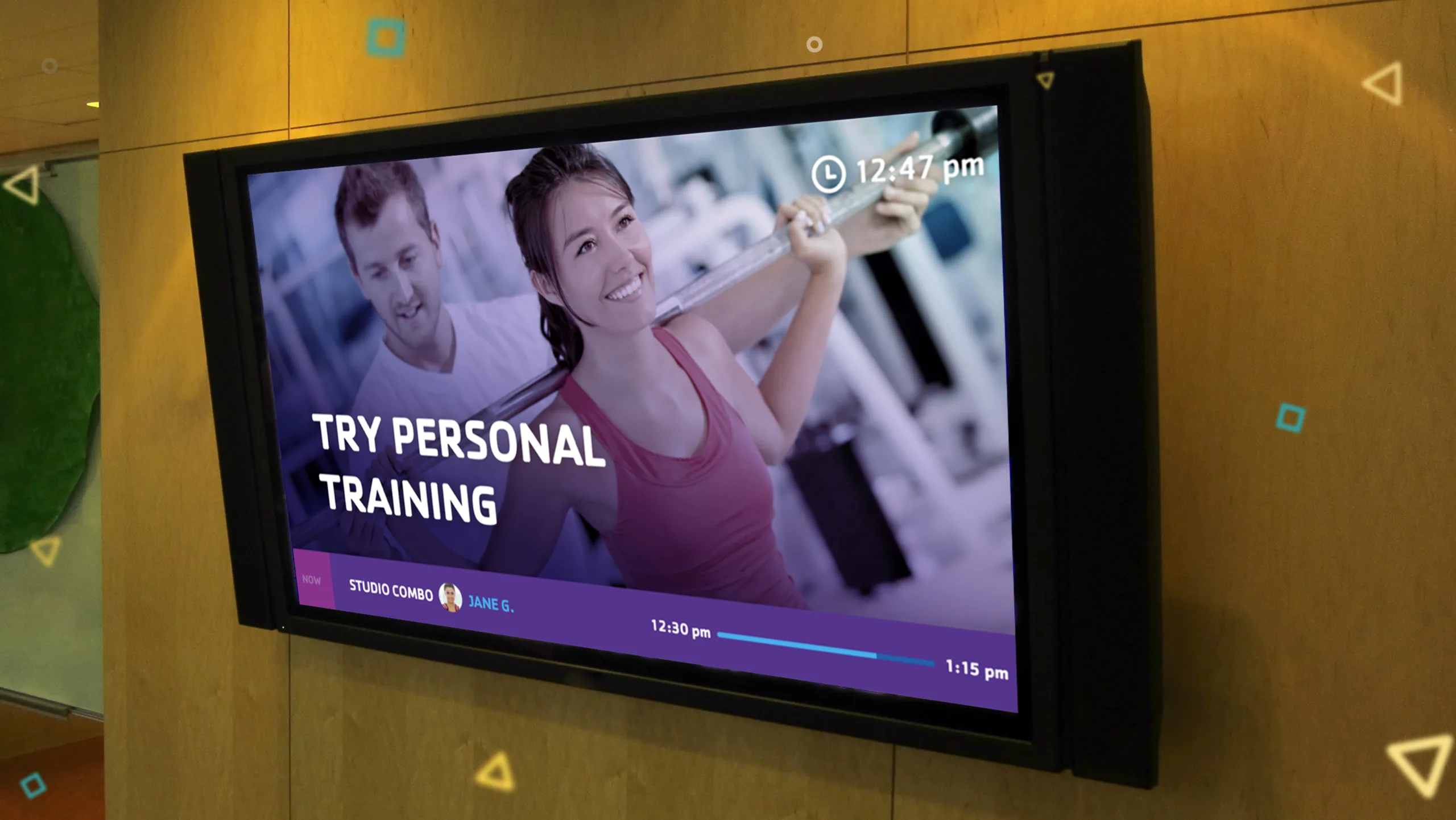
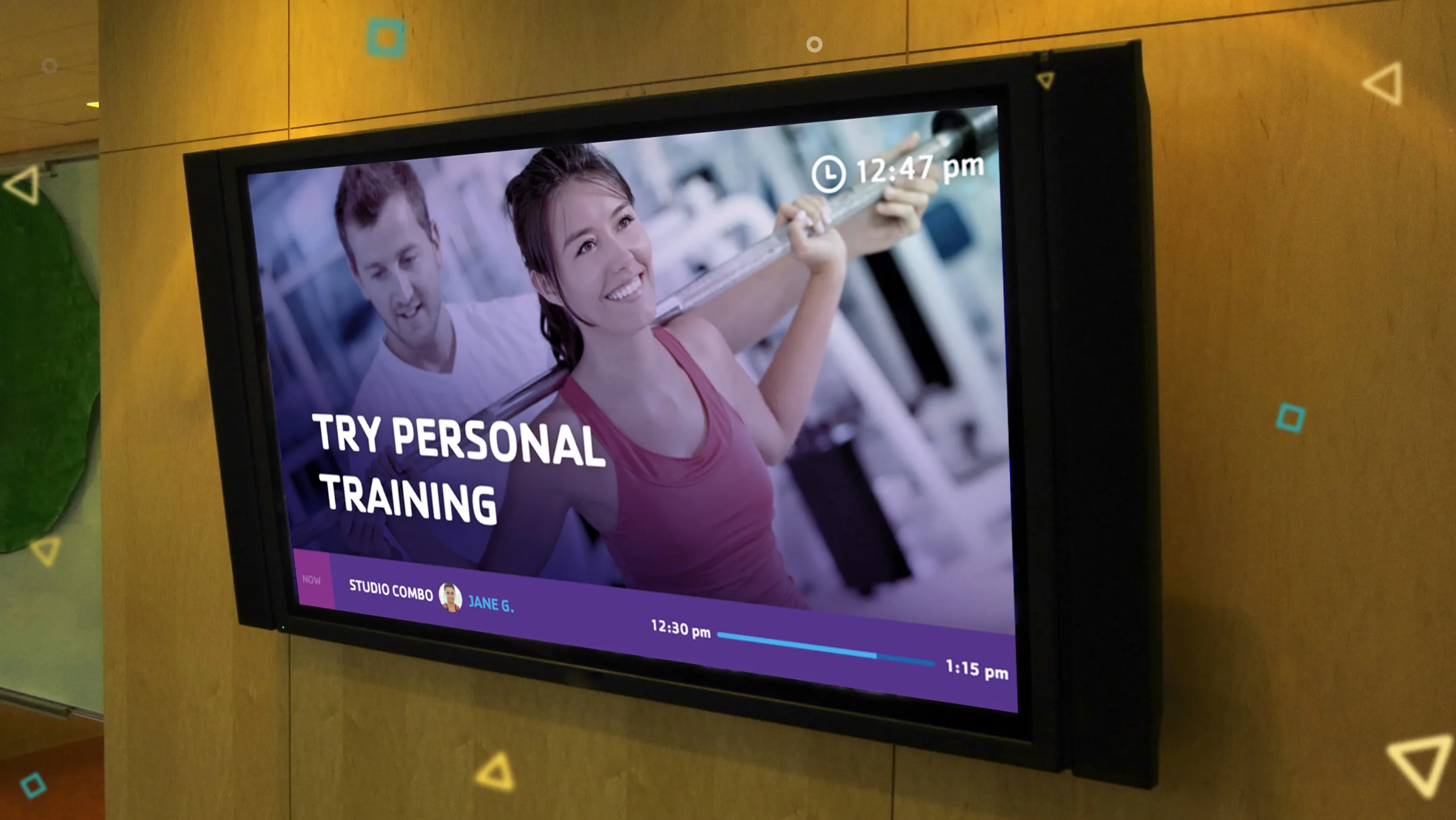
- Live group exercise schedules – Display today's classes, instructors, and room locations.
- Room boards – Show current and upcoming activities outside studios, gyms, and meeting spaces.
- Branch announcements – Share closures, special hours, policy updates, and important notices.
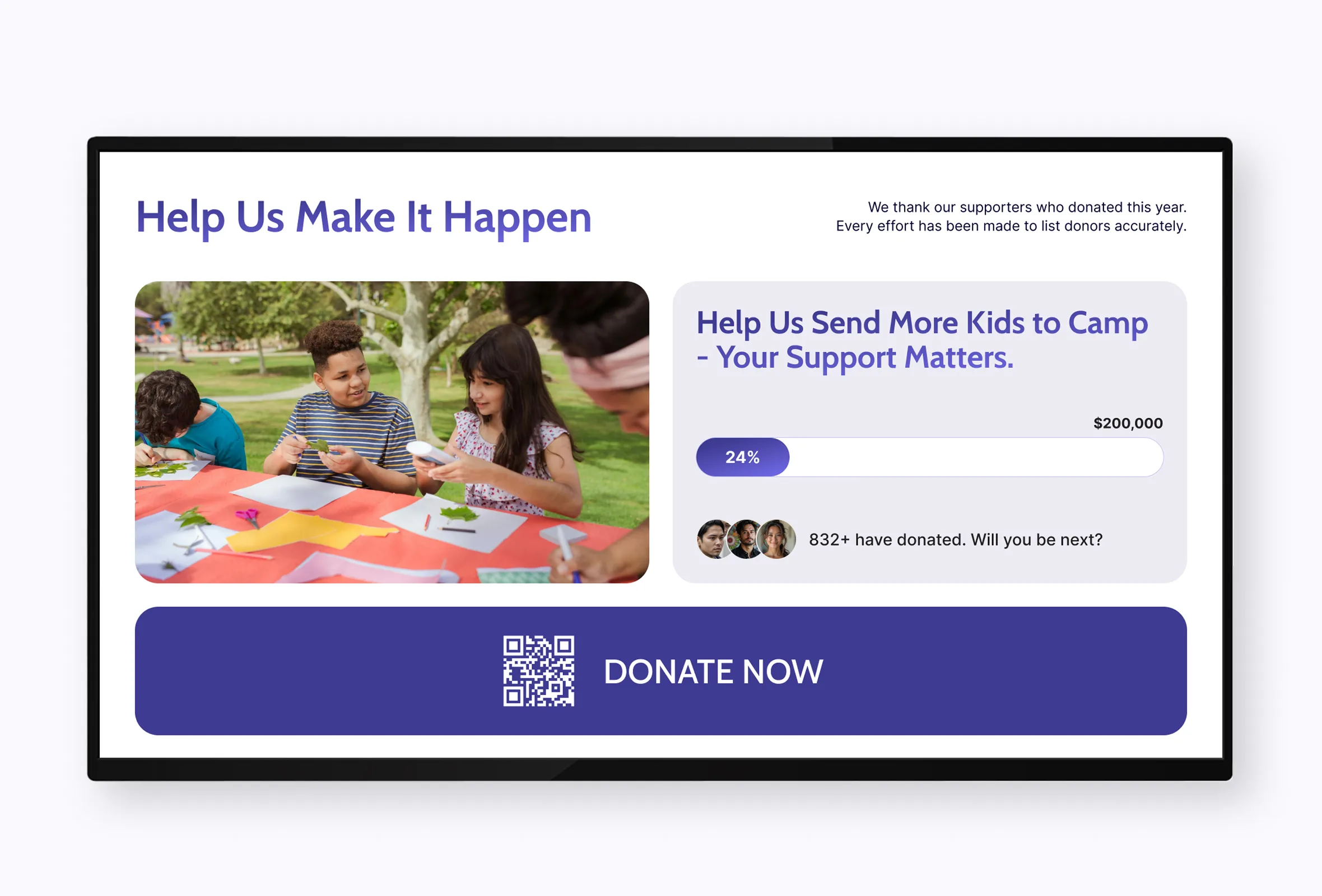
- Community events – Promote camps, youth programs, family activities, and upcoming events.
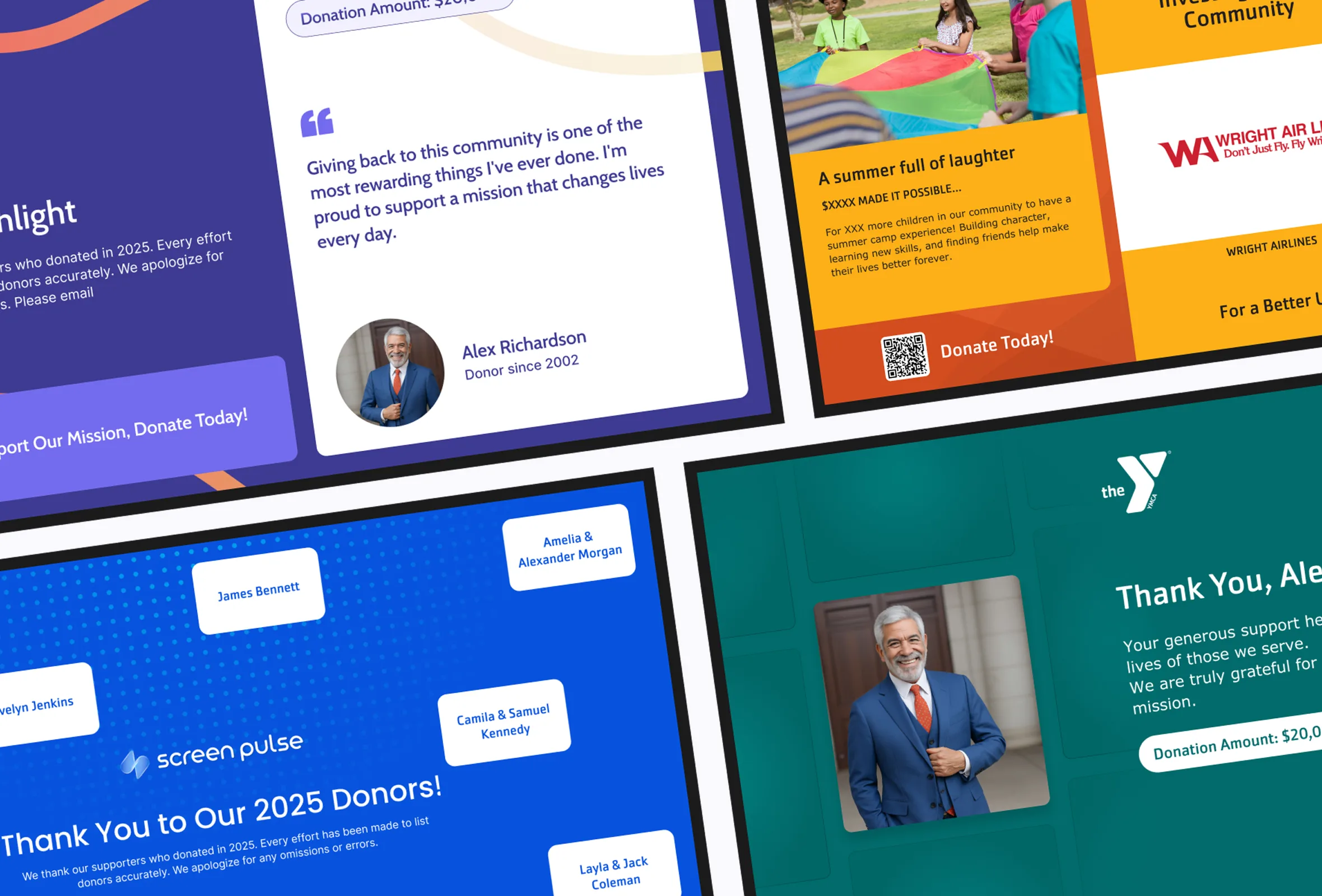
- Donor recognition – Celebrate supporters, sponsors, and fundraising campaigns with dynamic displays.
- Welcome screens – Greet members and visitors with personalized messages and daily highlights.
- Videos and promotional content – Share success stories, program highlights, and marketing campaigns.
- Calendars and dashboards – Display association calendars, key metrics, or internal information for staff and members.
- Emergency messages – Instantly communicate urgent updates across one or multiple locations.
Many YMCAs start with a single use case, such as class schedules or welcome screens, and gradually expand their digital signage strategy as they discover new ways to communicate with members and strengthen community engagement.
How to Get Set Up With Digital Signage
To get started with your digital signage setup, you’re going to need a few basic pieces of hardware as well as a Content Management System (CMS) to manage and create your content. You’ll also need a media player and a solid internet connection.
The most important piece of hardware is your screen. You’ll need something commercial-grade, either LED or LCD, that has an HDMI or VGA input so that you can connect a media player to play your content. The size of the screen you need primarily depends on where the customer will be when viewing your signage, but a general range tends to lie between 42” and 70”. Of course, there are exceptions to this rule and some businesses can have even larger panoramic LCD video walls – like the one put together by Mountain America Credit Union.
There is a wealth of different types of hardware and software out there to run your signage. Here are some of the most popular options:
Hardware Options
Choosing hardware and software doesn't have to be a step-by-step process. In many cases, it's best to evaluate them together, since some digital signage platforms recommend or certify specific devices to simplify deployment and ongoing management.
The good news is that most modern digital signage solutions are hardware-agnostic and support a wide range of media players. If you already have compatible devices, you can often reuse them by installing a dedicated digital signage player or running the platform directly in a web browser.
Some of the most common hardware choices include:
- Dedicated digital signage players – Purpose-built devices designed for reliable, continuous operation in public spaces.
- Amazon Signage Stick – An affordable media player designed specifically for digital signage deployments.
- Android TV boxes – A popular option for displaying schedules, announcements, and promotional content.
- Raspberry Pi devices – Compact, energy-efficient players widely used for digital signage installations.
- Windows mini PCs – Well suited for interactive kiosks, dashboards, and custom applications.
- Smart TVs with browser support – A practical choice for organizations that want to leverage existing hardware without adding another device.
Before purchasing new equipment, check whether your preferred digital signage platform supports the hardware you already own. Reusing existing TVs and media players can significantly reduce deployment costs while making it easier to expand your digital signage network over time.
Software Solutions
Some solutions are designed for simple presentations and scheduled playlists, while others include centralized content management, multi-location support, and integrations with the tools organizations already use. Below are a few popular options that illustrate the different approaches available.
ScreenCloud
ScreenCloud is one of the most established digital signage platforms on the market, serving organizations ranging from small businesses to global brands. Its cloud-based content management system supports a wide variety of media players and offers a large library of integrations, making it a flexible option for organizations looking to manage digital content across multiple displays.
Screen Pulse
Screen Pulse is Five Jars' cloud-based digital signage solution, built around real YMCA use cases and the everyday challenges of keeping members informed. Instead of focusing primarily on playlists and media management, it was designed to display the information organizations update most often, including live schedules, room boards, donor recognition, calendars, announcements, dashboards, and community content. It also connects with platforms commonly used by YMCAs, allowing staff to update information in one place and have those changes automatically reflected across their digital screens.
Chrome Sign Builder
Chrome Sign Builder is a free digital signage software for organizations looking for a simple way to display content on screens. It allows users to schedule presentations and images to appear at specific times and works well for basic announcements, menus, or promotional messages. While it doesn't offer the advanced management and integrations found in dedicated digital signage platforms, it remains a practical starting point for smaller organizations or pilot projects.
No matter which software you choose, the most important consideration is how easily your team can keep information current. Digital signage is most effective when it becomes part of everyday operations, allowing staff to spend less time updating screens and more time serving their community.
Questions to Ask Before Choosing a Digital Signage Solution
Before comparing hardware or software, it helps to think about how digital signage will fit into your everyday operations. The answers to a few practical questions can narrow down your options and help you avoid investing in a solution that doesn't match your needs.
- What information changes most often?
If your schedules, room assignments, announcements, or events change throughout the day, look for a platform that can display live information instead of relying on manually updated presentations. - Who will manage the content?
Some organizations have a dedicated marketing team, while others rely on branch staff, wellness coordinators, or membership teams. Choose a solution that supports the way your organization already works. - Do you need one screen or multiple locations?
Managing a single welcome display is very different from keeping dozens of screens synchronized across several branches. Consider how your needs may grow over time. - Can you reuse your existing hardware?
Many modern digital signage platforms support Smart TVs, Android devices, Raspberry Pi players, Windows mini PCs, and dedicated media players, making it possible to reduce deployment costs. - Does your content already exist somewhere else?
Group exercise schedules may already live in Traction Rec, Daxko, YMCA 360, Mindbody, or Upace. Event calendars may be managed in Google Calendar, while marketing assets come from Canva, YouTube, or Vimeo. Choosing a platform that connects to these systems can eliminate duplicate work and keep screens up to date automatically. - Could digital signage support more than announcements?
Many YMCAs begin with welcome screens or schedules and later introduce donor recognition, fundraising campaigns, room boards, dashboards, emergency messaging, and community content. Planning for these future use cases from the beginning can make expansion much easier.
There is no single "best" digital signage solution for every YMCA. The right choice is the one that fits your organization's goals, existing technology, and day-to-day operations while making it easier to share timely information with members, staff, donors, and the wider community.
Beyond Static Content: Connecting Digital Signage to Your YMCA Systems
Most YMCAs already have the information they want to display on screens. Group exercise schedules live in platforms like Traction Rec, Daxko, YMCA 360, Mindbody, or Upace. Event calendars are maintained in Google Calendar or Microsoft 365. Marketing teams create graphics in Canva, videos are often hosted on YouTube or Vimeo, and donor recognition information may come from spreadsheets or fundraising systems.
The challenge is bringing all of that information together without asking staff to update multiple systems every day.
Rather than recreating that content for every screen, connected digital signage platforms like Screen Pulse bring these sources together in one place. Live schedules, room boards, announcements, calendars, donor recognition, videos, dashboards, and community updates can be displayed automatically using information that's already being maintained by your team.
The result is a more consistent experience for members and staff, less manual work, and digital screens that stay current throughout the day.
Key Takeaways
- Digital signage can support a wide range of YMCA use cases, including live group exercise schedules, room boards, branch announcements, donor recognition, emergency alerts, event calendars, and community updates.
- Hardware and software should be evaluated together, since many digital signage platforms support or recommend specific media players and existing Smart TVs can often be reused.
- Cloud-based platforms make it possible to manage content across multiple branches while allowing local teams to maintain their own schedules and announcements.
- Integrating digital signage with platforms such as Traction Rec, Daxko, YMCA 360, Mindbody, Upace, Google Calendar, Canva, or Vimeo helps reduce manual updates and keeps information consistent.
- Many organizations begin with one or two displays and gradually expand their digital signage network as new use cases emerge.
In this article, we've covered some of the key considerations when planning digital signage for your YMCA, including common use cases, hardware options, software solutions, and ways to connect screens with the systems you already use.
Every organization has different goals and requirements, so there isn't a one-size-fits-all approach. If you're exploring digital signage for your YMCA or simply want to exchange ideas, the Five Jars team is always happy to answer questions and share what we've learned from working with community organizations in this domain.